Admin Guide · AI agents
An AI agent on a board column
1 min read · Updated
An AI agent is a teammate that works on cards. You give a column a job — for example “review the release notes and comment on anything missing” — and the agent does it whenever a card reaches that column.
AI agents must be switched on for your organization. Your organization has one agent; it doesn’t take a seat on your plan.
Set up the agent’s job
- Open the project, click Profile, then Agent.
- Under Agents in this project, check that your organization’s agent is listed. Add it on the Members tab if it isn’t.
- Under Agent job descriptions, find the column, for example AI review.
- Choose a Model. “No agent in this column” means the column has no agent.
- Write the job description: what the agent should do with each card, in plain words.
- Choose the tools it may use, once a model is picked.
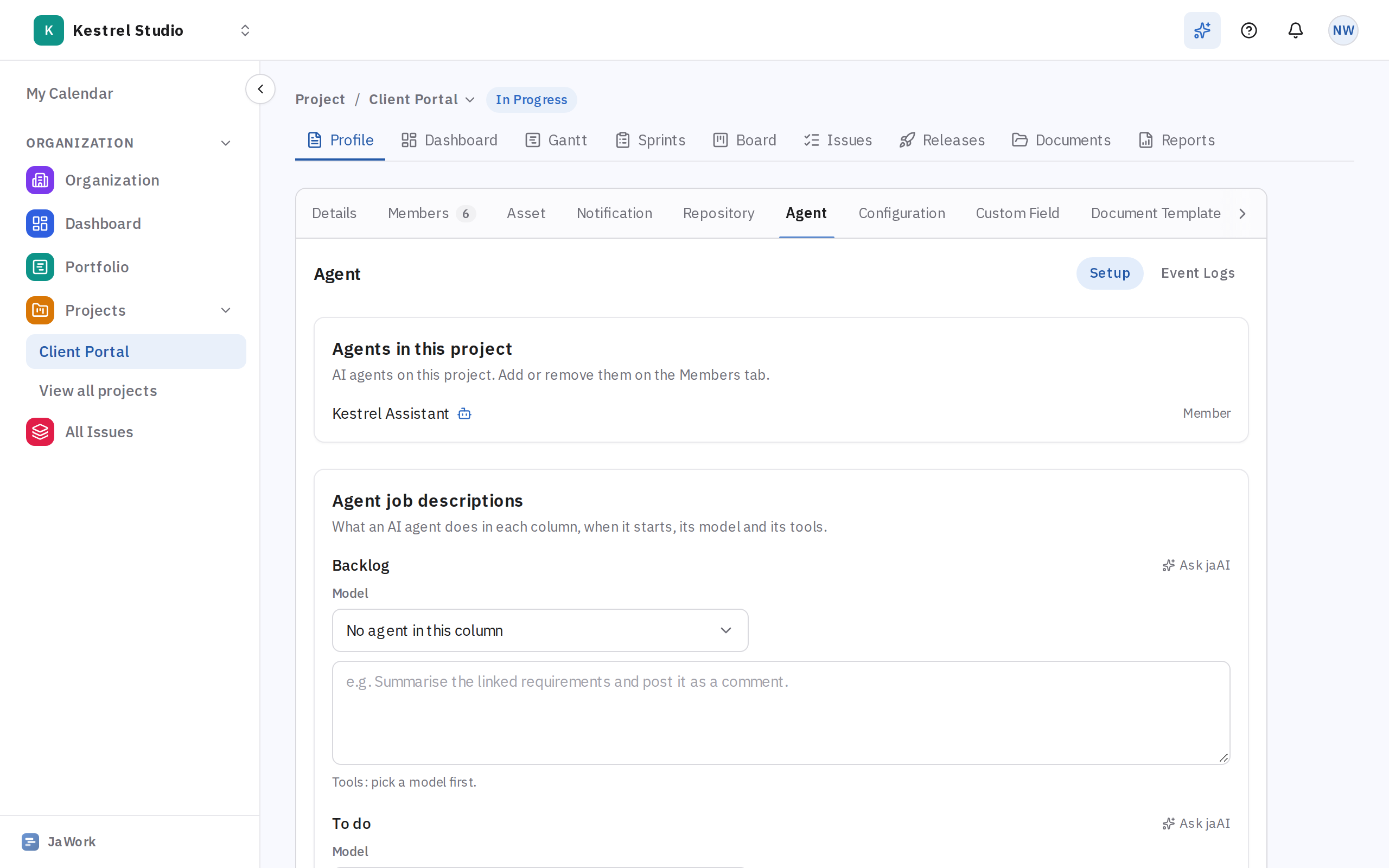
Not sure what to write? Click Ask jaAI beside a column for help with the job description.
Choose when it starts
Under When, tick any of:
- Card enters this column;
- Someone @mentions the agent in a comment;
- A new card is created here;
- Due in 1 day — change the days and time under More options.
Watch it work
A card the agent is working on shows it on the board. The agent writes its result as a comment on the card, then moves on. Open Event Logs on the Agent tab to see every run.
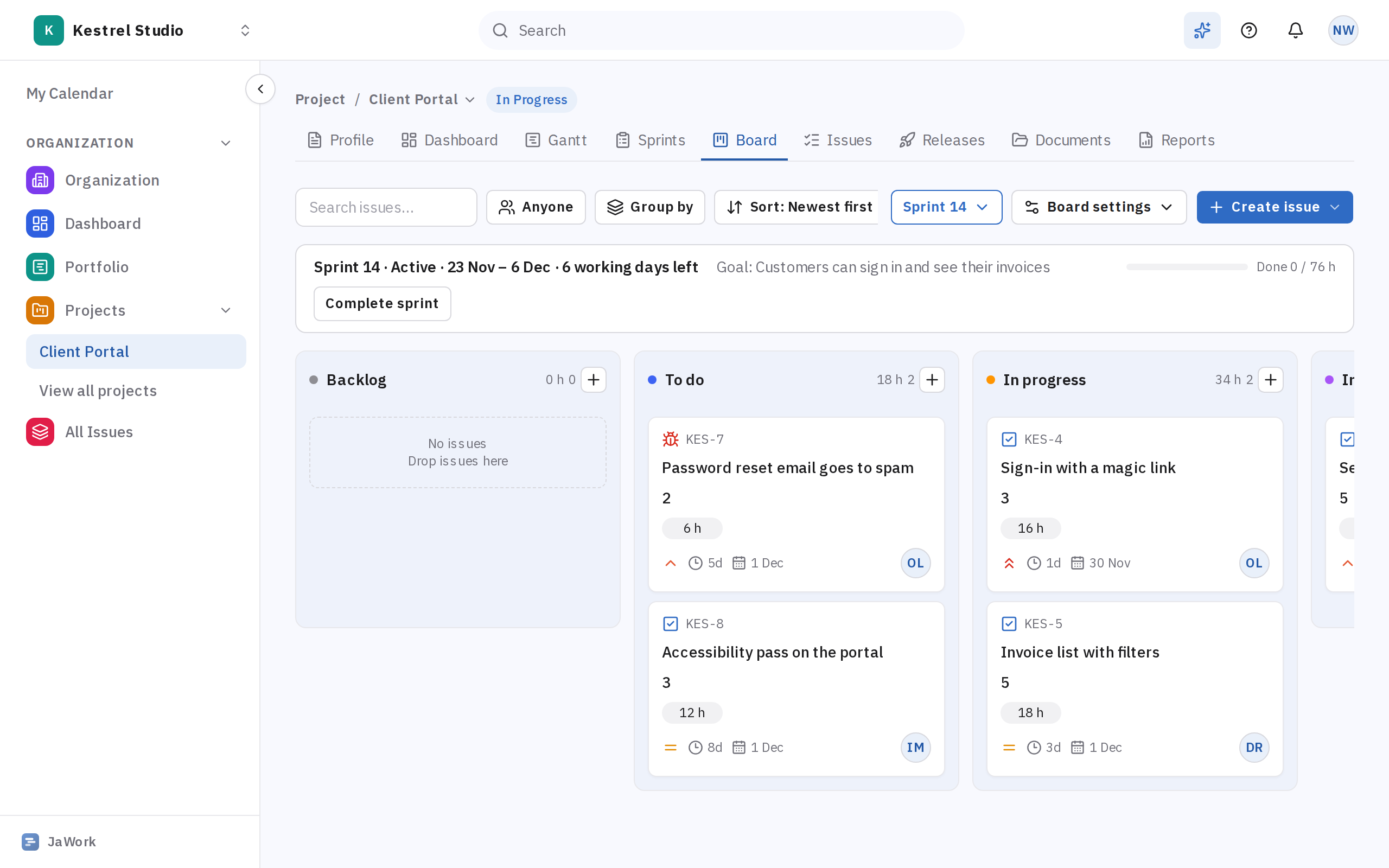
Tip: Give the agent its own column, like AI review, so everyone sees which cards are waiting for it.
Every run uses AI credits. Read how AI credits work.
Was this helpful?
Thank you — it helps us improve the guides.
Still stuck? The assistant answers from these guides, and a person takes over when it can't.
Chat with us