Admin Guide · Projects
Statuses, issue types and custom fields
1 min read · Updated
A project’s statuses are its board columns. Its issues can be tasks, bugs, subtasks or milestones, and each project can add fields of its own. Only project admins change these.
Board columns (statuses)
- Open the project’s Board.
- To add a column, use the empty column at the end of the board: type the New column name and press Enter.
- To change columns, open Manage columns from the board’s toolbar. For each column you can:
- rename it, or drag it to a new place;
- set a work-in-progress limit (leave it at No limit if you don’t need one);
- mark it Counts as closed, so its issues are left out of open counts;
- choose who may edit an issue while it is in that column;
- delete it, after choosing the column its issues move to.
Custom fields
Custom fields add your own information to issues, such as the client or story points.
- Open the project’s Profile tab and then Custom Field.
- Add a field, give it a name and choose its kind, such as Select or Number.
- For a select field, add its Options and a colour for each with Add option.
- Choose which issue types it is for, or keep All types.
- Drag fields by the handle on the left to reorder them.
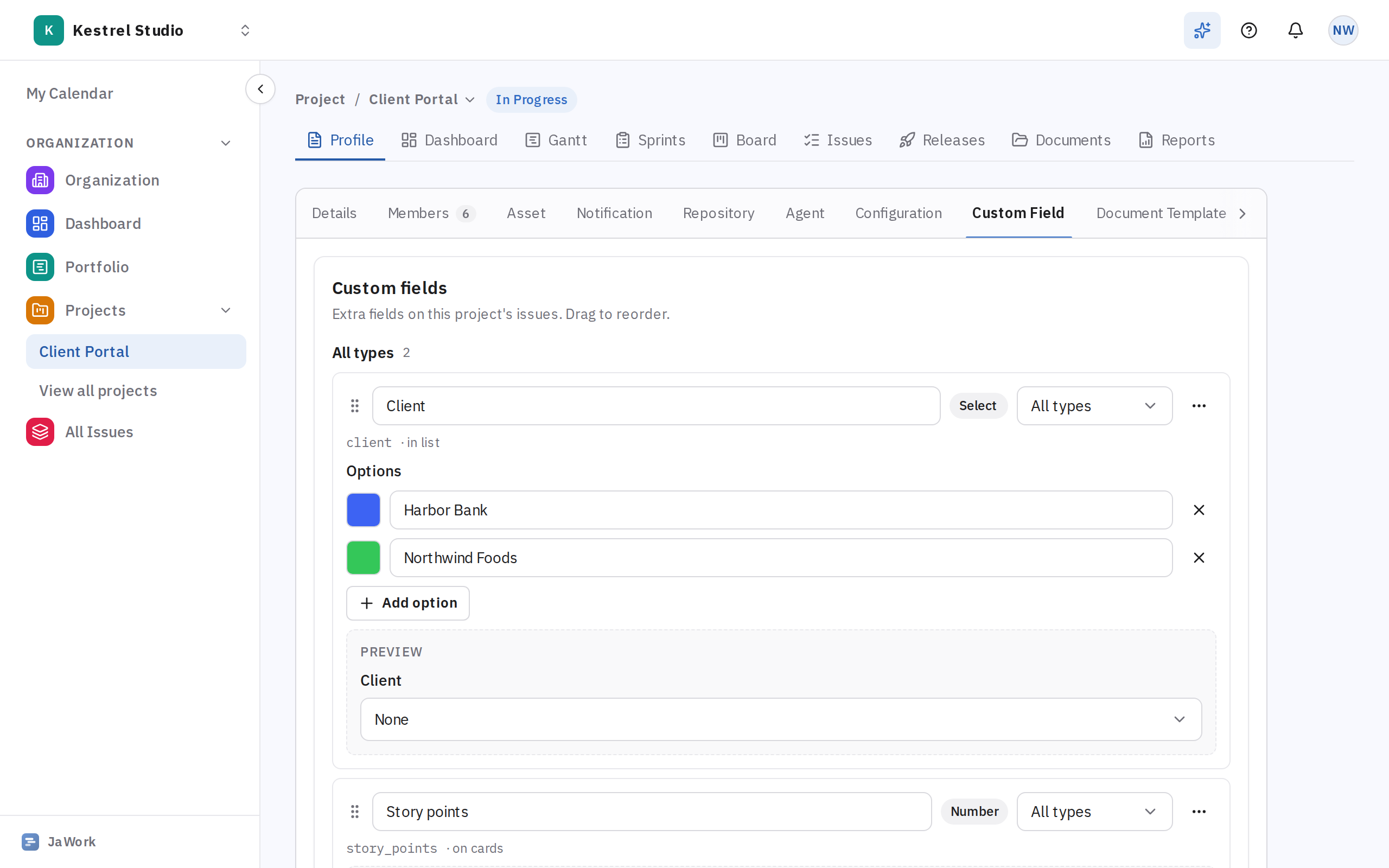
The Preview shows the field as people will see it on an issue. The ⋯ menu on each field holds more choices, such as showing it on board cards or in lists.
Tip: A select field can become a swimlane: on the board, Group by lists it beside Assignee and Priority.
The rest of the project’s settings are in the project profile.
Was this helpful?
Thank you — it helps us improve the guides.
Still stuck? The assistant answers from these guides, and a person takes over when it can't.
Chat with us