Admin Guide · Importing
Import issues from Excel
1 min read · Updated
When your issues are in a spreadsheet, you can import them all at once. JaWork gives you a template to fill in.
Get the template
- Open the project and click Issues.
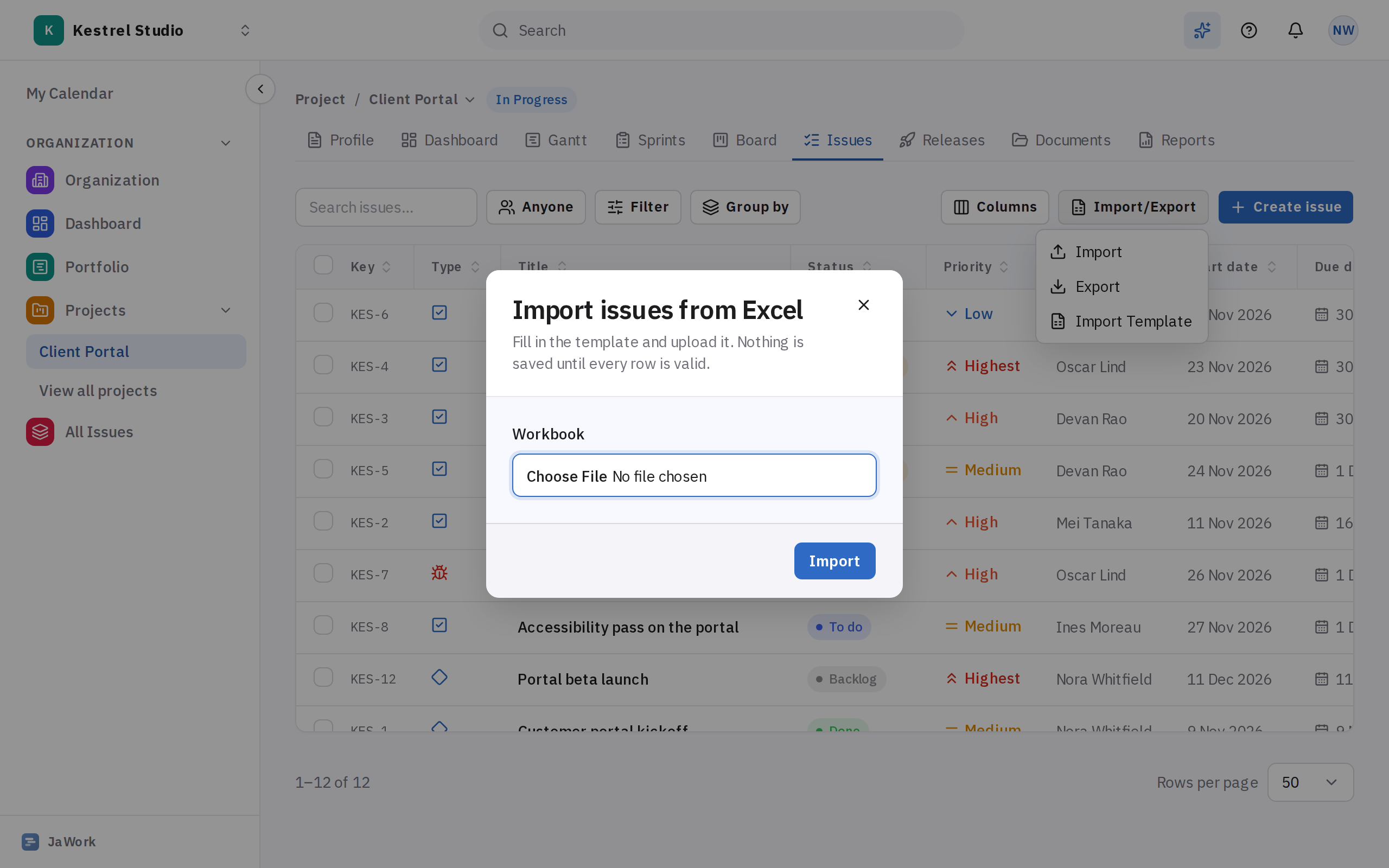
- Click Import/Export, then Import Template.
- Open the downloaded workbook in Excel.
Fill it in
Add one issue per row: its title, type, status, priority, assignee, dates and so on, in the columns the template has. Use the people’s emails and the status names your project already has.
Import it
- Click Import/Export, then Import.
- Under Workbook, click Choose File and pick your file.
- Click Import.
JaWork checks every row before saving anything. If a row has a mistake, nothing is imported and JaWork tells you which row and why, so you can fix the file and try again.
Export issues
Import/Export › Export saves the project’s issues as a workbook, for example to share with someone outside JaWork.
Tip: Export a few issues first and look at the file: it shows exactly how each column should be filled in.
Coming from Jira? See importing from Jira.
Was this helpful?
Thank you — it helps us improve the guides.
Still stuck? The assistant answers from these guides, and a person takes over when it can't.
Chat with us