User Guide · Notifications
Notifications and the bell
1 min read · Updated
The bell at the top right tells you when something needs you: an issue assigned to you, a comment that mentions you, and other changes you follow.
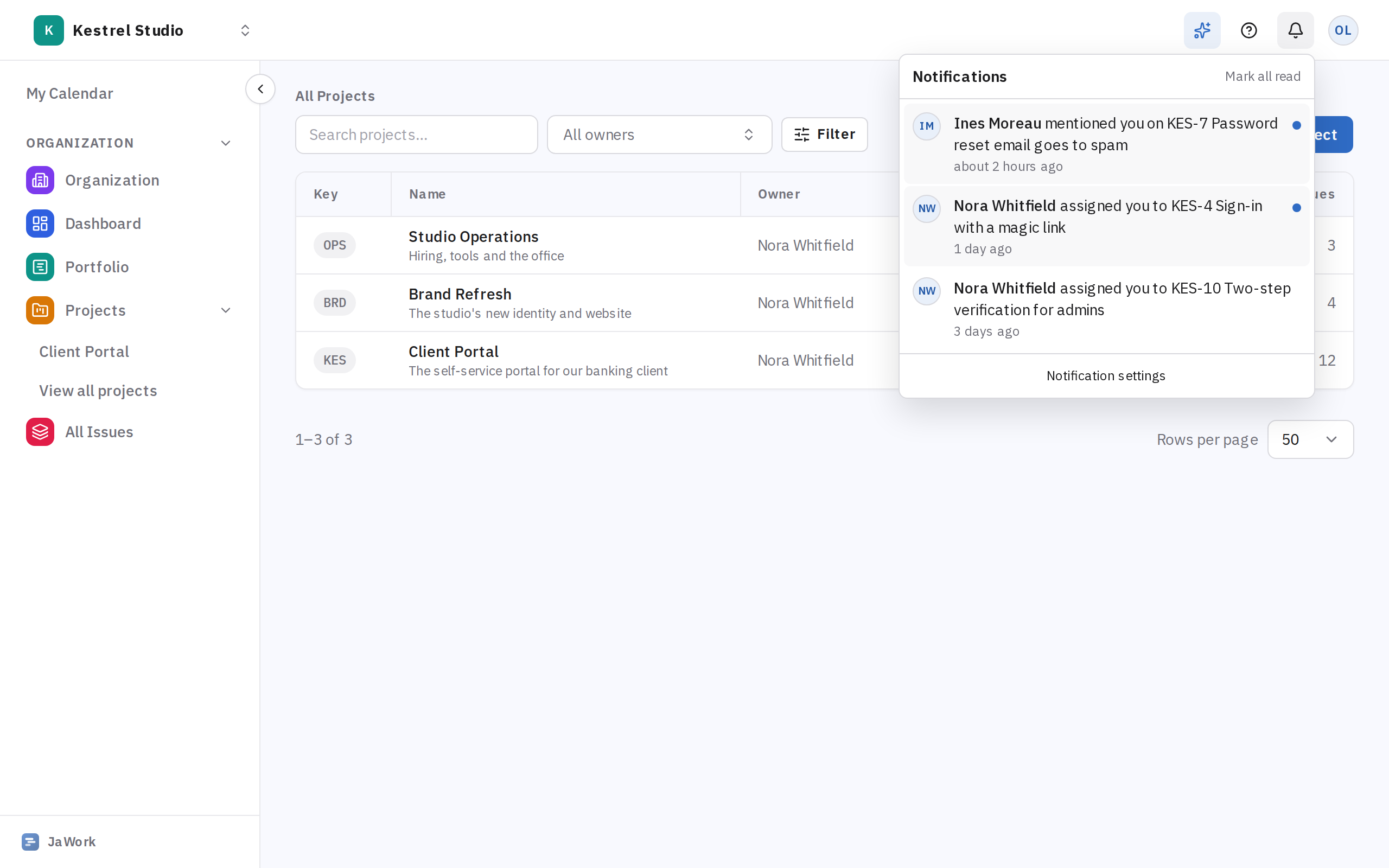
Read your notifications
- Click the bell. A red number on it means some are unread.
- Each notification says who did what, on which issue, and when.
- Click a notification to open the issue it is about.
Unread notifications have a blue dot.
Mark them read
Click Mark all read at the top of the list to clear the red number.
Choose what you hear about
- Click Notification settings at the bottom of the list.
- Turn each kind of notification on or off.
You can also reach the same page from Account settings › Notifications › Manage.
Tip: When you mention a teammate in a comment with @, they get a notification like the first one in the picture.
Read more about comments and @mentions.
Was this helpful?
Thank you — it helps us improve the guides.
Still stuck? The assistant answers from these guides, and a person takes over when it can't.
Chat with us